

You will always know where to be.
When your kid's team runs on SnapMind Teams, the next game sits at the top of your phone with the time to get there, the uniform and who is driving. The rest of the season is in the same app, and when college coaches start looking, your athlete has a recruiting page their coaching staff verified and you approved.
Your program sets up SnapMind Teams, and then every family joins with the team code or the coach's invite.
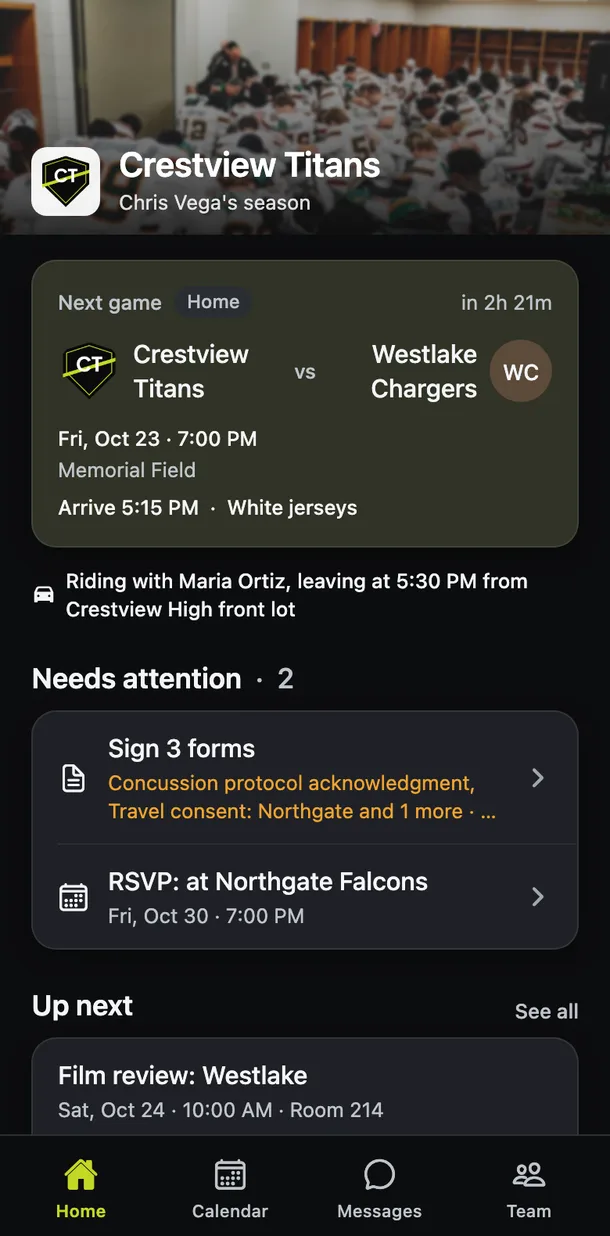
The next game is the first thing you see.
The details the coach entered
The start time, the field, when to arrive, when the bus leaves and which jerseys to pack all sit on the game itself.
Rides from other families
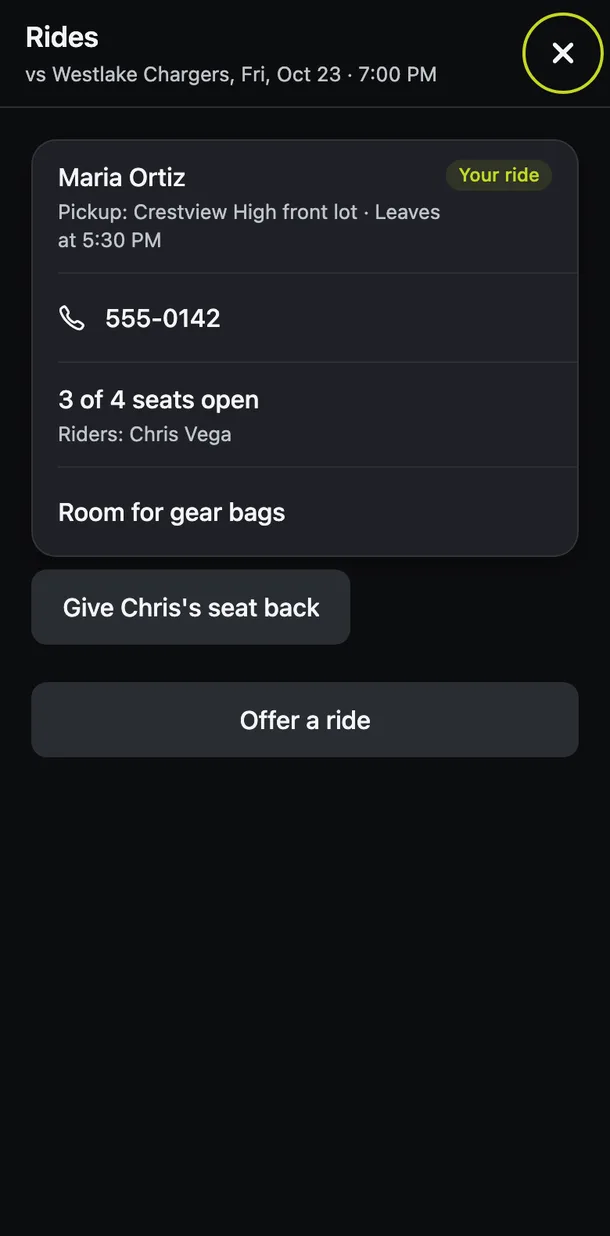
A parent who is driving offers open seats, you save one for your kid, and the app shows who is driving and where they leave from.
Going or can't go
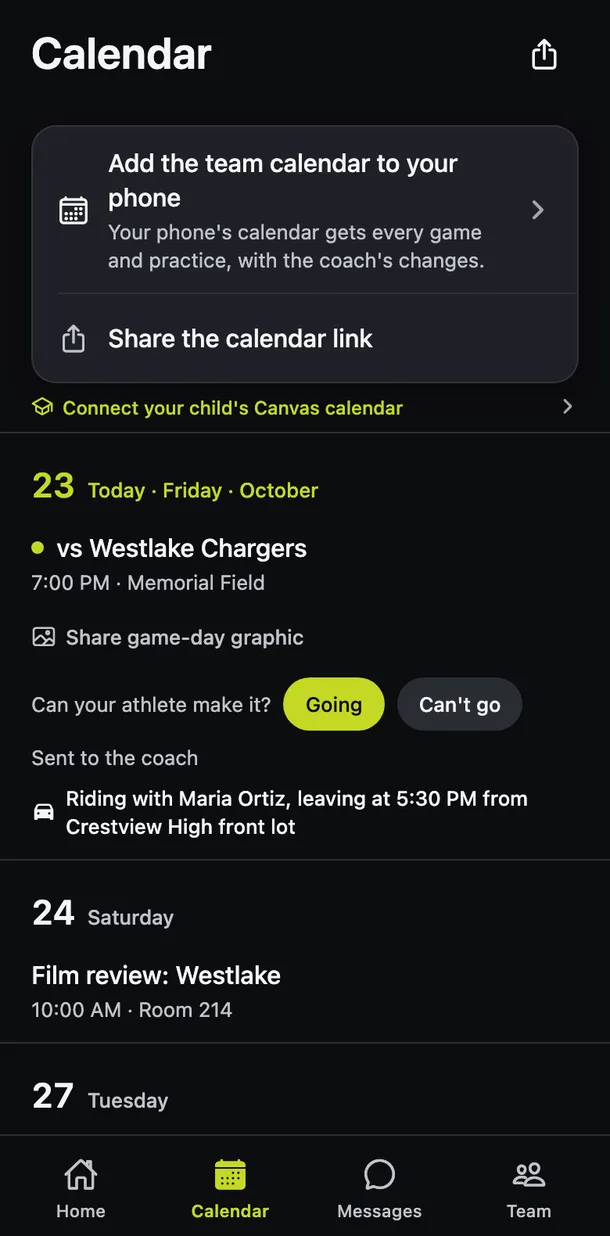
Your answer is saved for your kid, so the coach sees it on their own list the moment you tap.
The team calendar on your phone
Add the schedule to the calendar you already use. When the coach moves a game or calls one off, it changes there too, and the app sends you an alert.
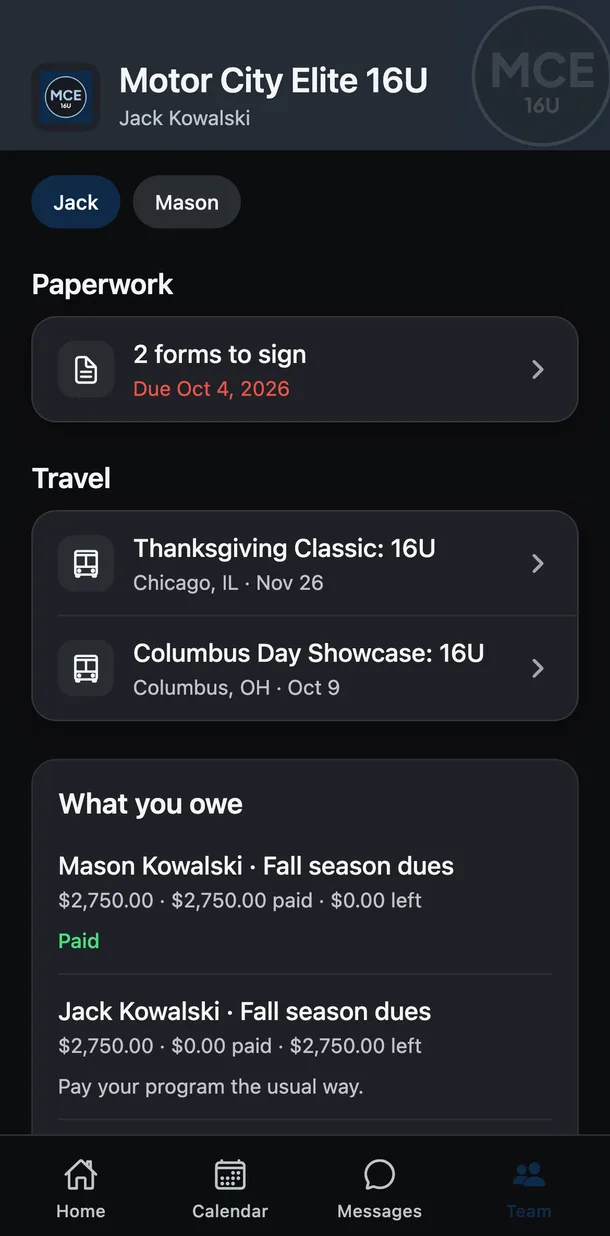
The paperwork comes off the fridge and onto your phone.
Forms you sign on your phone
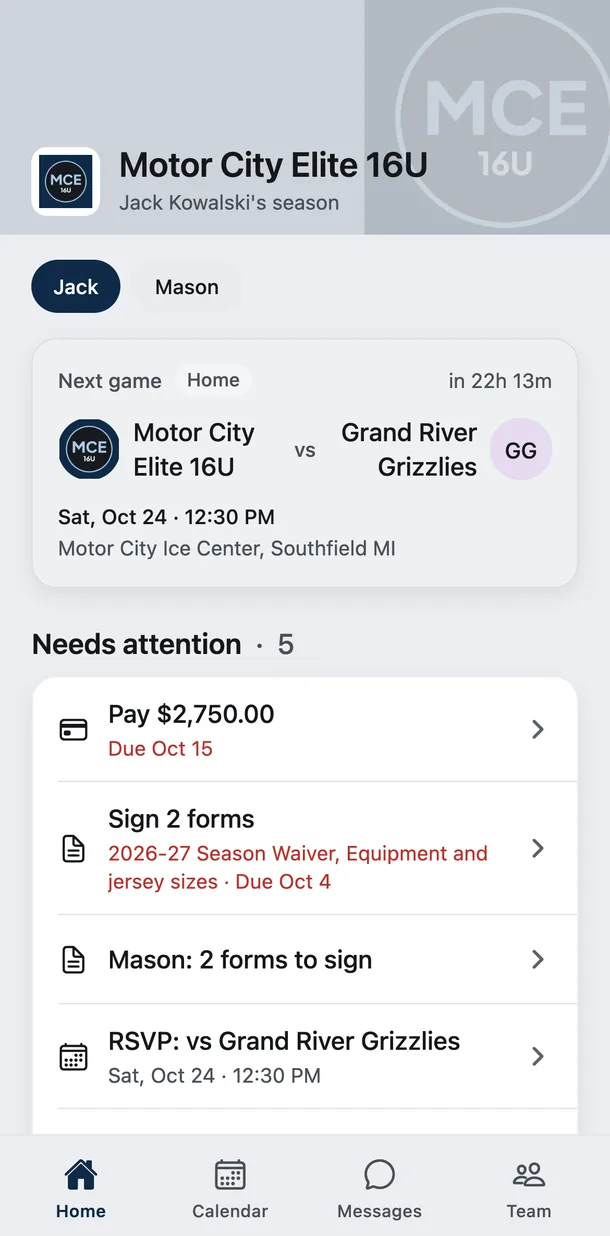
Anything the program needs from you shows on Home with its due date, and you sign it by typing your name.
What your family owes
Every fee for every kid you have in the program is on one list, with a Pay button when the program takes cards and a receipt once it is paid.
Brothers and sisters on one calendar
Brothers and sisters on different teams share one family calendar, with a filter for each of them.
Volunteer in one tap
Pick the concessions shift or the snack week that works for you, and it lands on your calendar.
Family screens can be switched to Spanish on each phone.
The ride home can be about more than the score.
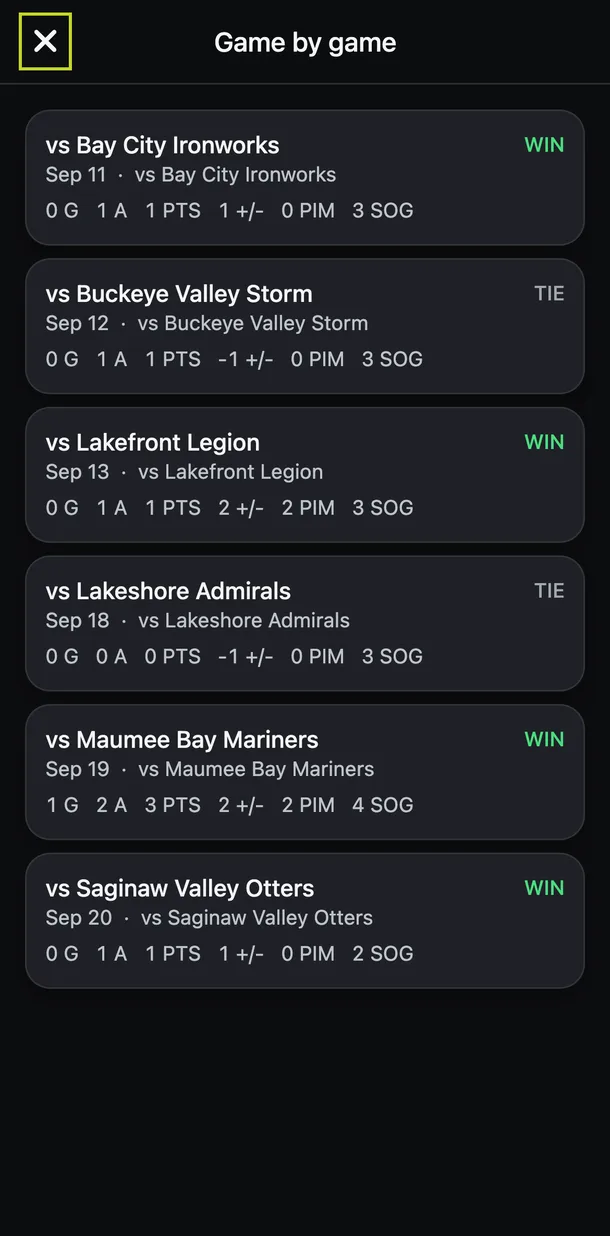
When the coaching staff keeps stats, you can follow your kid's season line game by game from your own phone. Coach announcements and messages with the staff sit in the same app, so a change reaches you straight from the coach.
A real shot at college, with you in control.
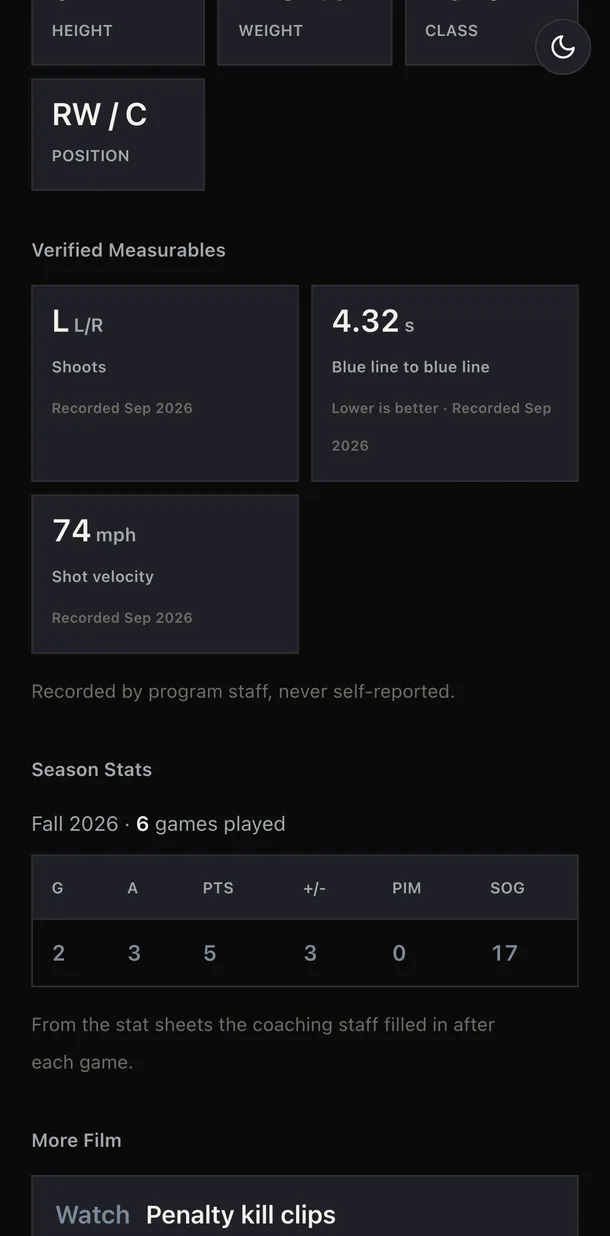
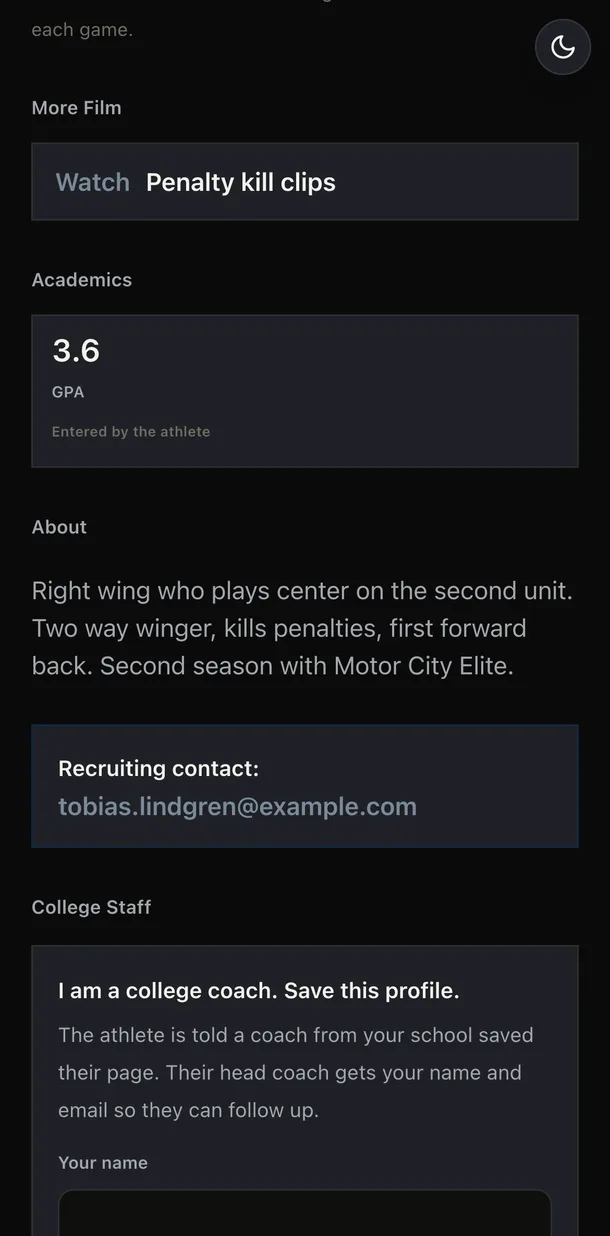
Your athlete writes the page
Their story, goals, highlights and the way to reach them go on one link at usesnapmind.com.
The coaching staff verifies the numbers
Height, weight and test results publish only after a coach confirms them, and season stats come from the staff's own stat sheets.
You sign before anything goes public
The request comes to your email so you can read the whole page first. The same email keeps a link you can use to take the page down at any time.
College coaches can save it
When a coach from any college saves the page, your athlete is told and their head coach gets that coach's name and email to follow up.
- Division I
- Division II
- Division III
- NAIA
- Junior college
Nobody can promise a scholarship or a roster spot, and we never will. What SnapMind gives your athlete is a record their own coaching staff stood behind, at whatever level fits them.
Send SnapMind Teams to your coach.
Programs set up SnapMind Teams for their families, and a short note from a parent is a good way for a coach to hear about it.
We write the email for you. Add your coach's address, read it over and send it from your own inbox. Your coach can book a 10-minute demo from the link inside.
Coaches and athletic directors can also request a demo here. If your team already uses SnapMind Teams, sign in with the email your coach has on file.