

SnapMind TeamsRun your program SnapMind TrainingTrain your week For TrainersManage your clients About ConsoleCoach sign in Sign In Request a trainer workspace
SnapMind Training for trainers

Know who needs you today.

Every check-in, video and message from your clients in one command center, on your laptop and your phone.
Needs you today

3 waiting · oldest first
GOWeekly check-in from GraceSlept badly, knee felt fine · waiting 3 days
MBGoblet squat video from MarcusForm review · waiting 12 hours
PNPriya asked about her long runMessage · waiting 1 hour
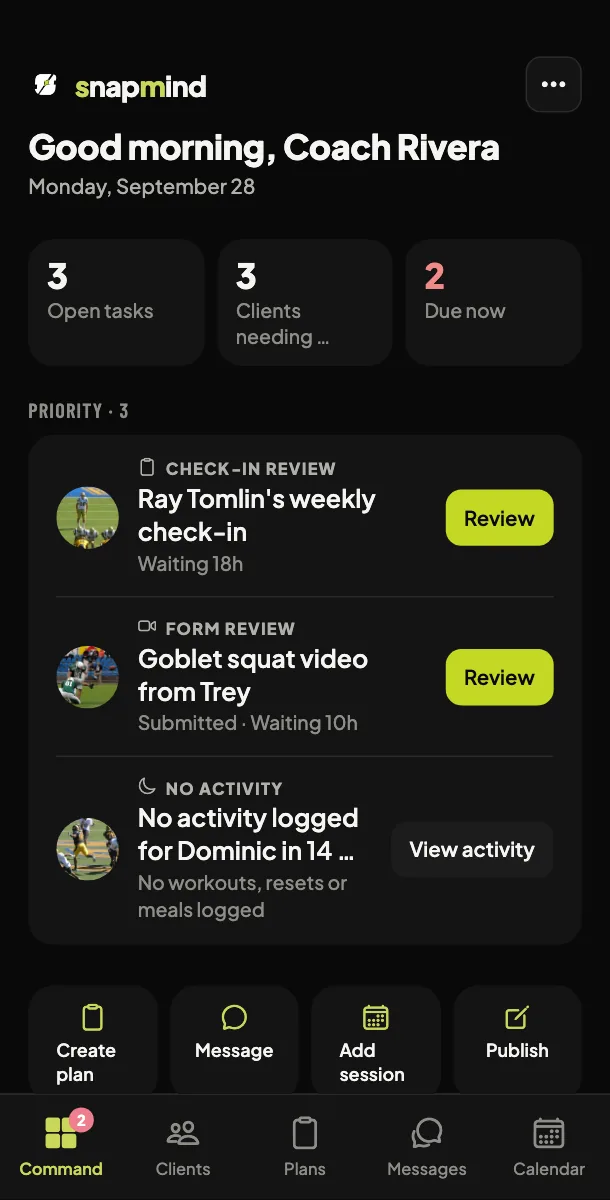
The trainer command screen on your phone: open tasks, clients needing attention, due now, next session, the queue

The same queue, on your phone.

An example review queue · fictional clients

How it works

One request becomes their next workout.

The same video moves through your queue, your plan, and back out to your client's phone.

Request arrives

MB
Form video from MarcusGoblet squat · knee caved on rep 3

A form video lands in your queue, flagged for review.

You review it

MB
Marcus' goblet squat videoReviewing · 0:08

You watch it and reply in writing or on video. The laptop console adds timestamps you can click.

You change the plan

Thu
RestNo change
Fri
Squat swapLighter load, knee cue added

You swap Friday's squat for a lighter variation. The rest of the week stays the same.

Your client sees the update

SnapMind TrainingMarcus, your Friday changed. See the new plan.

The change reaches their phone the moment you save it.

An example client and week

Only a reply clears it

Opening a client's request leaves it on your list until you answer.

One instant, every zone

Noon for a client in New York reads 9:00 AM in California, with both shown.

Your clients stay private

Other trainers can never see your clients, their messages or their videos.

Get a trainer workspace

Request access.

Available today: the trainer workspace on the web and in the SnapMind Training app. Who can apply: personal trainers and coaches with their own clients. Every request is approved by SnapMind, usually within one business day. Free while we are in early access; we will tell you before pricing changes.

  1. Request access with this form.
  2. SnapMind approves your workspace and emails you.
  3. Sign in to the SnapMind Training app with that email, or create your account with it. The app opens straight into your Command Center.

Request received. We reply within one business day from support@usesnapmind.com.

Already approved? Sign in to the SnapMind Training app with the email you used here. Get it on the App Store or Google Play.